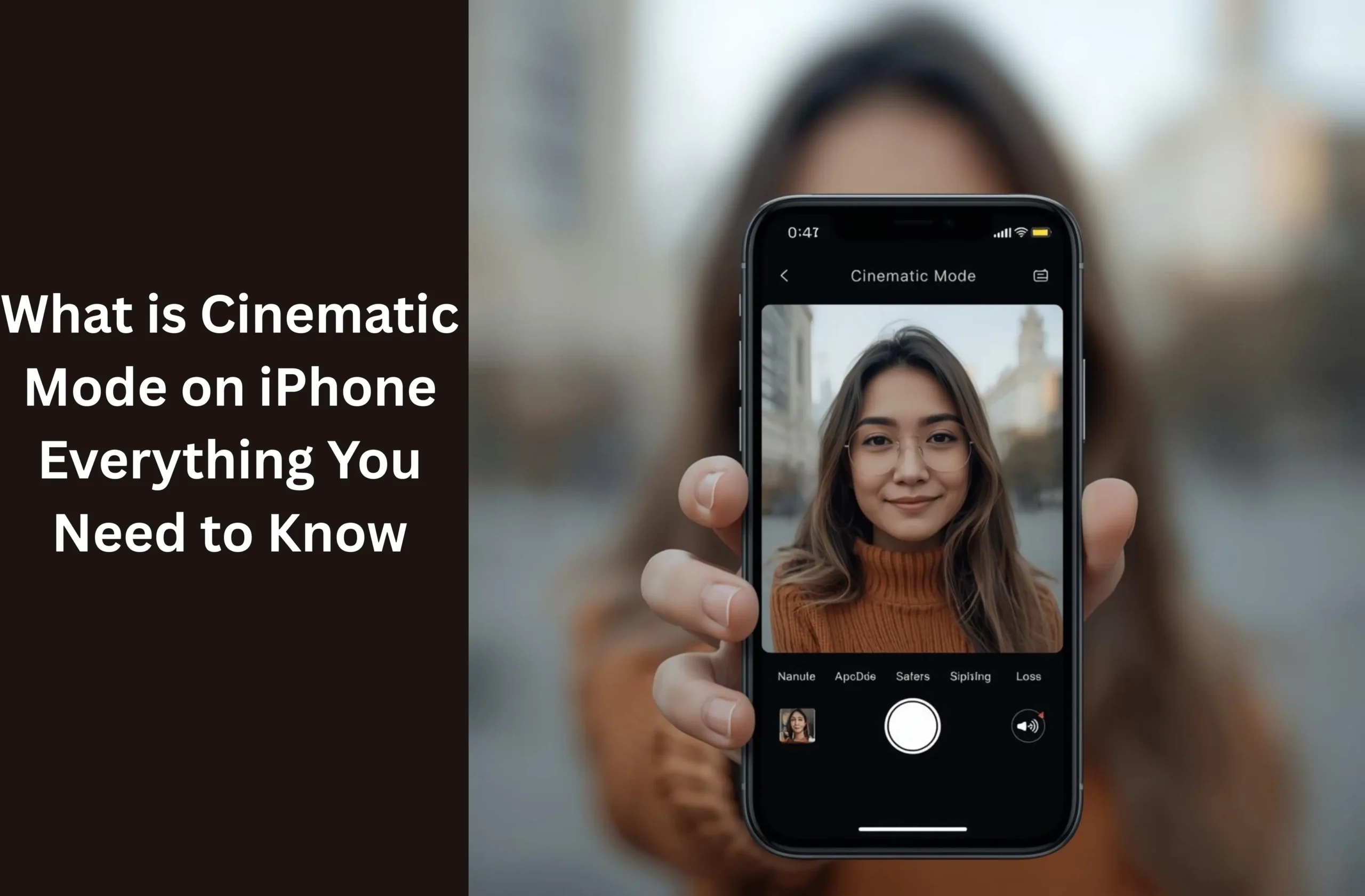
Apple has created Cinematic Mode in iPhone as a way of making the videos look more Hollywood. This aspect introduces a touch of professionalism since there is blurring of the background and the subjects are brought into focus as it is natural. It transforms video making regardless of whether you are in the iPhone 13 cinematic mode or the recently designed iPhone 17 cinematic mode.
What is the Cinematic Mode of iPhone?
Cinematic Mode on iPhone is a new video option available with the iPhone that replicates the depth-of-field effect found in professional cameras. It gives you the ability to film videos with a gorgeous blurry background (bokeh effect) and have the subject matter in focus.
It does not require the operator to change the focus manually as is the case with other video modes but the camera automatically shifts focus to the other subject depending on the action of the scene. E.g. when one turns their head or another person comes in the frame, the camera is smart enough to change the focus as in a movie. The first focus in the iPhone 13 cinematic mode, this has been developed in subsequent models such as iPhone 15 cinematic mode and iPhone 17 cinematic mode, with better quality, low-light, and greater control.
How Does Cinematic Mode Work?
The Cinematic Mode on iPhone also utilizes the advanced AI and the Apple A-series chip power to scan depth, motion, and faces in real time. It then will decide which section of the video must remain sharp and which parts to blur. When capturing, you have the option of tapping the screen so that you can move the focus by hand or allow the iPhone to do it automatically.
You can adjust the depth of field and focus points of the photos in the Photos app or Final Cut Pro even after recording. This is a huge advantage to creators: able to shoot and focus afterwards. And as such, in case you shot a video with your iPhone 15 using the cinematic mode and want to alter the focus, you can do so later without recording the video again.
What iPhones have Cinematic Mode?
To begin with, the Apple iPhone 12 lacked cinematic mode. This feature was introduced by Apple in the iPhone 13 series and has been enhanced every year since.
The following are the quick glimpses of the iPhones that support it:
- iPhone 13 / 13 mini / 13 Pro / 13 Pro Max were the first models to offer Cinematic Mode (1080p at 30 fps).
- iPhone 14 and 15 models can record 4K movies.
- The iPhone 16e and 17 series have a better AI stabilization, greater focus transitions, and multi-subject tracking.
- When you ask yourself: so, does iphone 16e have cinematic?
Yes, it does! It is even superior, and it has quicker processing speed with deeper color tones. Unluckily, the users of the Uncinematic Mode iPhone 11 lack such a feature due to the hardware and chipset of the device being unable to support the depth-mapping system that is used by Apple.
How to Use Cinematic Mode on iPhone?
Cinematic Mode is also easy and entertaining to use on iPhone. To take professional looking videos, follow the steps below:
- Open the Camera app.
- Tap Cinematic.
- Frame your object and focus by tapping (or by auto-focus).
- Hit the Record button.
- Move or have your subject move the iPhone will focus on its own.
- Once recorded, use the Photos app, select the Edit option, and adjust the focus or depth (where necessary).
Even when you are using newer models such as the iPhone 17 cinematic mode, you can also adjust the aperture settings to have greater background blur or focus wider.
Advantages of the Cinematic Mode in iPhone
Professional-Looking Videos
The movie mode on the iphone has a soft blurred background that gives a fair appearance of a movie scene. The footage is more professional no matter whether you are shooting a travel vlog or a product review.
Pay attention Transitions such a movie camera
Your videos have the storytelling effect of the automatic focus shift. As an example; when you are recording an interview, the iPhone does a smooth cut between the interlocutor and the listener just like in Hollywood films.
Edit Focus After Shooting
The iPhone also allows you to edit the areas of focus afterwards as opposed to the case with the traditional cameras. This best applies to when taking shots of unforeseen scenes or when you end up focusing on something you have not intended.
Works in 4K (Latest Models)
iPhone 15 cinematic mode and more have the capability to record at 4K HDR which will provide professional content creators with crystal-clear quality.
Easy for Beginners
Cinematic mode on the iPhone does not require any experience in filmmaking. Its AI does the majority of the heavy lifting, and one issue is capable of shooting creative videos with ease.
Cinematic Mode vs. Portrait Mode
Cinematic Mode on the iPhone is confused with Portrait Mode. The distinction is in movement.
- Still photos are in portrait mode. It obscures the backdrop of one image.
- Cinematic Mode is used when recording video which dynamically changes the focus and the blur as objects move.
- So, the portrait looks incredible with Portrait Mode, but with the Cinematic Mode, you can video your stories in real-time with the focus transition and depth.
Cinematic Mode Android Users
As a non-user of iPhone, you may be curious whether there is an iPhone cinema mode on Android. Although the Android devices lack the specific feature of Apple, there are certain phones such as Google Pixel and Samsung Galaxy that have Portrait Video or Bokeh Video options, which do the same effect. But the accuracy and AI-enhanced focus control, which is provided by Cinematic Mode on iPhone, cannot be matched.
How to achieve optimal results with cinematic mode?
These are the professional tips that will help you to make your videos really cinematic:
- Use good lighting. Cinematic mode is ideal where there is plenty of light.
- Keep your distance. This is achieved by keeping at least 2-3 feet away to form a strong depth-of-field effect of your subject.
- Plan your focus changes. Prepare the movement of the subjects to make transitions easier.
- Use a tripod. This holds your shots steady and professional.
- Test aperture (ƒ-stop). In the current models such as the iPhone 17 cinematic mode, you can change aperture to have greater control over creativity.
Cinematic Mode is limited in a number of ways
Although the Cinematic Mode in the iPhone is quite impressive, it is not flawless. These are the following limitations:
- The blur may not appear as natural in low light.
- The option is not offered on the older iPhones such as the iPhone 11.
- The auto-focus can be confused by heavy motion or high speed subjects.
- The editing of 4K cinema videos takes a lot of storage and processing power.
- Nevertheless, its drawbacks do not stop its advantages in the eyes of the amateur creators and professionals alike.
Future of Cinematic Mode on iPhone
With each release of the iPhone Apple is enhancing Cinematic Mode. The versions of iPhone 16e and 17 cinematic mode have improved color grading, sharper focus, and artificially intelligent upgrades. In the near future, Apple can introduce new features of AR and several layers of depth to make the effects less realistic and blur the background, as well as middle-ground backgrounds to achieve even more cinematic effects.
Conclusion
The iPhone Cinematic Mode has transformed the smartphone video. It makes every person capable of producing videos, similar to films, with realistic concentration and deepness. Apple continues to enhance this feature in terms of iPhone 13 cinematic through iPhone 17 cinematic mode. YouTuber, traveler, filmmaker or not, this mode is a life of your creativity.
FAQs
Is not supported, Cinematic Mode iPhone 11, its hardware does not have the necessary depth sensors or chip capacity.
Yes! The cinematic mode of the iPhone 16e, will have a higher quality of focus and transition effect and low light functionality.
iPhone cinematic mode is missing on Android phones, although certain brands such as Samsung and Google have emulated the effect with a similar effect called Portrait Video.
Read Also: